Krita
Introduction
Introduction to Krita
1. Overview Krita is a free, open-source, and cross-platform professional-grade digital painting and illustration application. Designed by artists for artists, it focuses on providing all the core tools needed to go from a concept sketch to a finished artwork. It excels particularly at simulating the strokes and textures of traditional painting media (such as oils, watercolors, and charcoal sketches), making it one of the most popular open-source software tools in the global digital painting community.
2. Core Features
- Brush Engine Built for Painting:
- Powerful Brush System: Comes with over a hundred preset brushes covering categories like pencils, charcoal, watercolor, oils, patterns, and effects, each with extensive customizable parameters (shape, texture, blending mode, flow, scattering).
- Brush Stabilizers: Offers robust stroke smoothing and stabilization, essential for drawing smooth long lines and curves.
- Brush Dynamics & Wrap-Around Mode: Supports dynamic brushes where strokes vary based on speed, pressure, tilt, etc. Wrap-around mode allows for seamless tiling of textures across the canvas.
- Support for Non-Destructive Workflows:
- Layer System: Supports a wide variety of layer types including paint layers, vector layers, file layers, filter layers, and group layers.
- Layer Masks & Blending Modes: Provides full layer masks and numerous blending modes (multiply, overlay, screen, etc.) for complex compositing and adjustments.
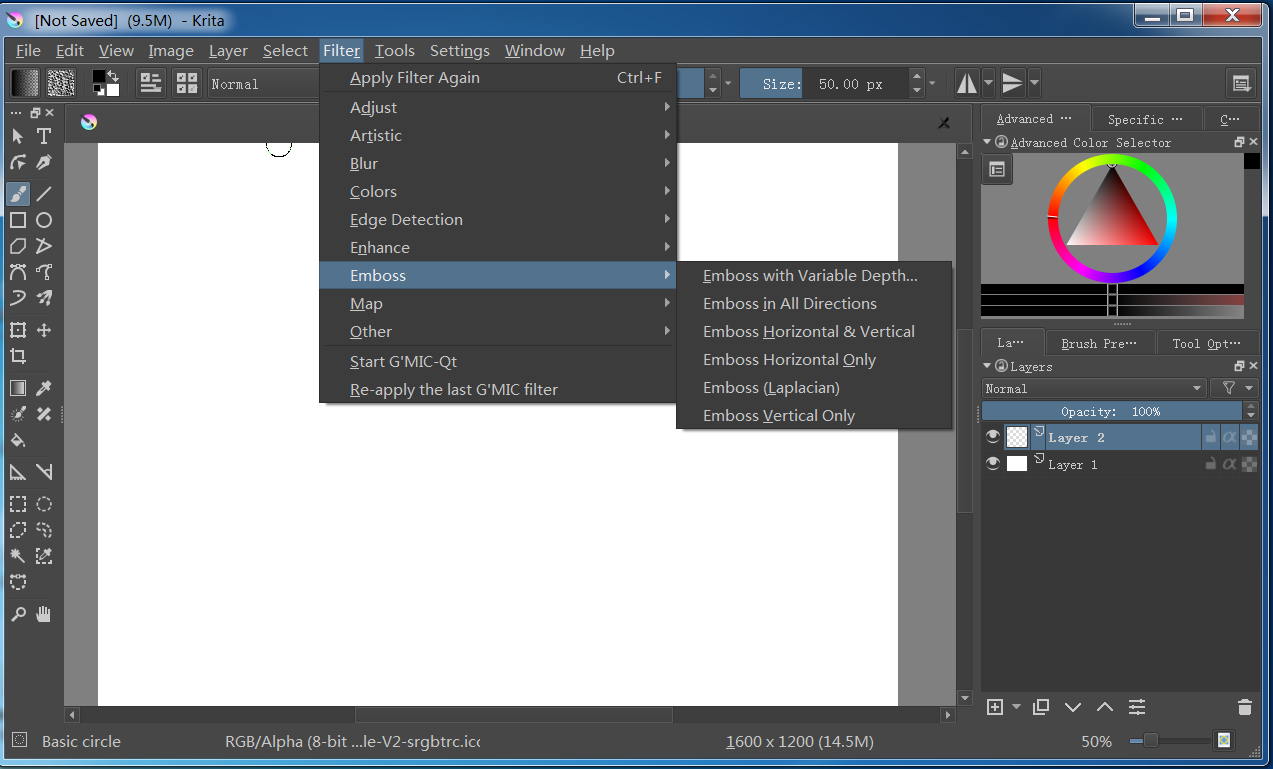
- Filters & Adjustment Layers: Allows non-destructive application of color adjustments (curves, hue/saturation) and various filter effects.
- Intuitive and Efficient User Interface:
- Customizable Workspaces: Users can freely drag, dock, and combine panels to create and save multiple interface layouts tailored for different tasks (painting, coloring, comics).
- Pop-up Palettes: Innovative features like the “pop-up palette” and “pop-up brush selector” enable artists to quickly pick colors or switch brushes without interrupting their painting flow.
- HDR & Wide Gamut Support: Full OpenColorIO support allows handling of HDR and wide-gamut images, suitable for professional film/VFX and high-end design pipelines.
- Powerful Creative Aid Tools:
- Vector Tools: Built-in vector tools for creating crisp text, shapes, and borders, especially useful for comics and graphic design.
- Perspective & Assistant Tools: Offers an extensive array of perspective guides, mirror painting, fisheye rulers, and snake rulers to assist drawing.
- Animation Features: Includes an integrated frame-by-frame 2D animation module supporting onion skinning, timelines, and audio import, capable of creating GIFs, videos, or sprite animations.
- Open File Formats & Resource Library:
- Native Format: Saves all layer and edit information in the KRA format.
- Wide Compatibility: Supports importing/exporting common formats like PSD, TIFF, PNG, JPEG, EXR, ensuring good interoperability with software like Adobe Photoshop.
- Resource Manager: Built-in system for managing resource packs (brushes, textures, gradients, patterns) downloaded or created by the user.
3. Typical Application Areas
- Digital Painting & Illustration: Creating concept art, character design, environment painting, fantasy illustrations, etc.
- Comics & Webcomics Creation: Its brushes, vector text tools, and page management features are well-suited for drawing comics.
- Texture & Material Painting: Creating high-quality textures and maps for 3D models.
- 2D Animation Production: Used for frame-by-frame animation or simple GIF creation.
- Photo Retouching & Digital Art: While not its primary focus, its robust layer and adjustment capabilities are also applicable for image post-processing.
4. Advantages
- Completely Free & Open Source: No cost, subscriptions, or feature limitations. It is continuously developed by a passionate community.
- Focus on Digital Painting: All core features are deeply optimized for the painting experience, making it artist-friendly.
- Highly Customizable: Almost every aspect, from the interface to the brush engine, can be tailored to individual preferences.
- Active Community & Rich Learning Resources: Boasts a large user and developer community that provides a wealth of tutorials, brush packs, and plugins.
5. Conclusion Krita is a powerful, professional tool crafted specifically for digital painting artists. By combining the openness and freedom of open-source software with the robust capabilities of commercial-grade applications, it has successfully established an indispensable position in the field of digital art creation. Whether you are a hobbyist, professional illustrator, or concept artist, Krita provides a zero-cost, unrestricted, and highly creative platform for bringing your artistic visions to life.
Generated by AI
Image
Get
source:https://download.kde.org/Attic/krita/
official:https://krita.org/en/download/
Direct Download: 3b1ff937-56c9-44c6-94a7-587bfb4a049f
Having trouble downloading?
If you encounter any issues during the download process, refer to the following solutions:
Link invalid or incorrect How to download the ed2k link How to download the magnet link How to download the .torrent file Other problems