Minecraft server
Introduction
Minecraft server.jar
Minecraft server.jar is the official server core file for Minecraft: Java Edition. It is an executable Java Archive file that serves as the fundamental software for hosting and managing a multiplayer Minecraft world. By running this file, players can create their own private or public servers, allowing friends or players from around the globe to interact, build, and adventure together in a shared world.
Core Functions & Features:
- World Host: The
server.jaracts as the "host" of the game world. It runs the game logic, manages all world data (terrain, blocks, entities, player states), and handles communication between clients (players). - Full Control: Server administrators have ultimate control. They can completely dictate game rules, player permissions, world generation, and server behavior using built-in commands, editing configuration files (like
server.properties), or by installing plugins/mods. - Cross-Platform: Being a Java program, it can run on any operating system with a suitable Java Runtime Environment (JRE) installed, including Windows, macOS, and Linux.
- Official & Open Source: Its source code (not the client) is viewable under a specific license, ensuring transparency and community trust. It is the officially released and supported server software from Mojang.
- Highly Customizable:
- Plugins (e.g., Bukkit/Spigot/Paper): Add new features and administrative tools while maintaining vanilla game mechanics. Ideal for survival, mini-game, etc. servers.
- Mods (e.g., Forge/Fabric): Deeply modify or add game content. Requires clients to have the same mods installed. Ideal for modpack servers.
- Datapacks: Modify advancements, recipes, loot tables, etc., using the vanilla system, no plugins needed.
Basic Usage Flow:
- Download
server.jarfrom the official Minecraft website. - Create a dedicated folder and place
server.jarinside. - Run it for the first time (e.g., via command line:
java -jar server.jar). It will generate necessary configuration files and the world folder. - Agree to the EULA, edit the
server.propertiesfile (set server port, game mode, difficulty, etc.). - Run
server.jaragain, and the server will start.
Significance: server.jar is the foundational cornerstone of the entire Minecraft: Java Edition multiplayer ecosystem. Everything from small private servers for friends to large public networks with complex gameplay begins with this server.jar file. It empowers the community with limitless ability to create and govern their own game worlds.
Generated by AI
Image
Get
Source of resources:https://mcversions.net/
Direct Download: b427e734-f078-4913-ba12-861a63a98143
Having trouble downloading?
If you encounter any issues during the download process, refer to the following solutions:
Link invalid or incorrect How to download the ed2k link How to download the magnet link How to download the .torrent file Other problemsReference tutorial
This is the Minecraft server file in Java version. You need to install JRE to run minecraft_server.jar. You can download the JRE files for different systems from this address: https://adoptium.net/temurin/releases
Newer versions of server.jar require JRE 21 or above, while older versions may need JRE 17 or JRE 8.
Download the JRE installer and follow the prompts to complete the installation.
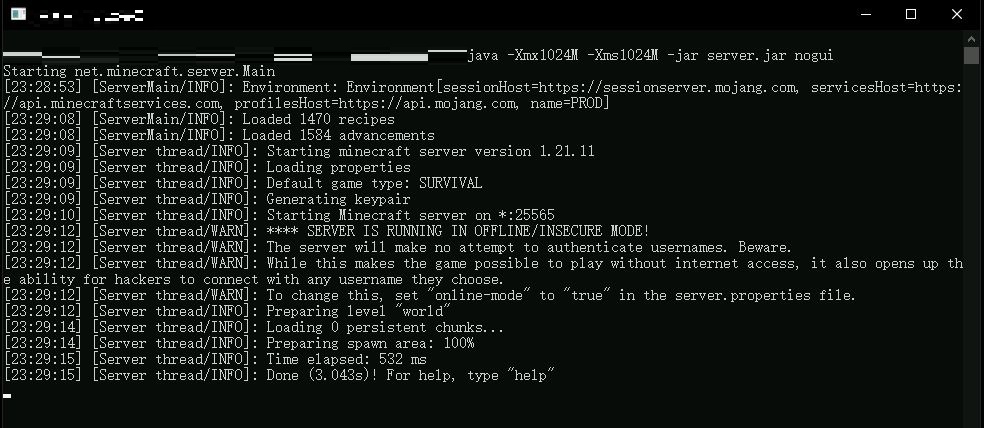
Open Command Prompt in the directory containing server.jar, and enter the following command to start server.jar. You will need to modify it to match your server.jar version name:
java -Xmx1024M -Xms1024M -jar minecraft_server.1.21.11.jar nogui
After the first run, the server will exit and generate an eula.txt file in the same directory as server.jar. You need to open it and change the last line:
eula=false
to
eula=true
Then run the command again to start server.jar. This will allow you to launch the server.
By default, this server only accepts connections from Minecraft clients with legitimate online verification. If you want to disable this restriction, you need to modify the configuration file, which is server.properties in the same directory as server.jar.
Change the following line:
online-mode=true
to
online-mode=false
This will allow any player to connect to the server.