Rufus
Introduction
AI introduction
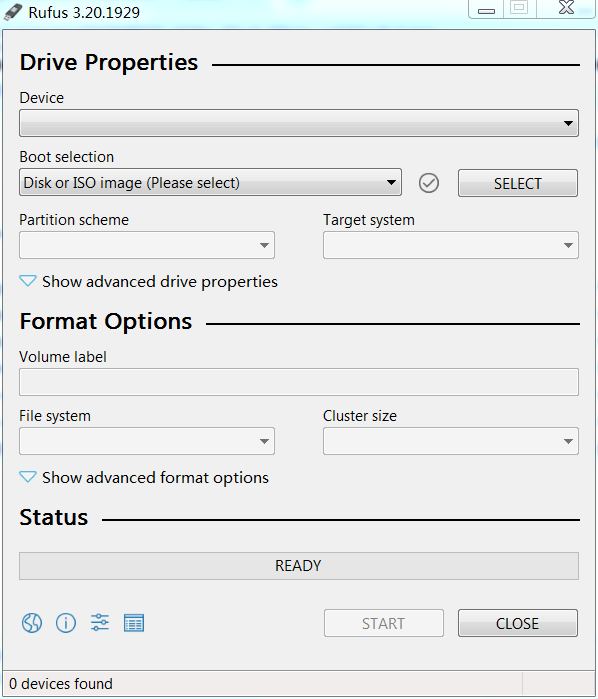
Rufus (Reliable USB Formatting Utility with Source) is a free, lightweight, and open-source tool for creating bootable USB drives on Windows. It is widely used for installing operating systems (Windows, Linux, etc.), flashing BIOS/firmware, and running low-level utilities.
Key Features:
✅ Fast & Lightweight – Small executable (under 2MB) with no installation required.
✅ Multi-Boot Support – Works with ISO, IMG, DD, and WIM formats.
✅ UEFI & Legacy BIOS – Compatible with both modern and older systems.
✅ Bad Block Checks – Detects and marks damaged sectors during formatting.
✅ Persistent Storage (Linux) – Allows saving changes in live Linux USB.
Use Cases:
🔹 Create Windows/Linux installation USB.
🔹 Flash BIOS/firmware updates.
🔹 Run diagnostic tools (e.g., MemTest86, Hiren’s BootCD).
Limitations:
❌ Windows-only (no macOS/Linux version).
❌ No built-in ISO downloader (requires manual ISO file).
Official Website: https://rufus.ie/
Image
Get
source:open
Direct Download: 7d7fa352-8809-46c5-b1de-f9e911a998c4
Having trouble downloading?
If you encounter any issues during the download process, refer to the following solutions:
Link invalid or incorrect How to download the ed2k link How to download the magnet link How to download the .torrent file Other problems