Dev-Cpp
Introduction
Dev-C++ (also written as Dev CPP) is a free Integrated Development Environment (IDE) designed specifically for the C and C++ programming languages. It was originally developed by Colin Laplace and became famous for being extremely lightweight, simple to use, and fast to start up, making it the first-choice tool for countless C/C++ beginners worldwide.
Core Features & Characteristics:
Lightweight & Fast:
- The Dev-C++ installer is very small (only about 50MB), installs quickly, has an extremely low system resource footprint, and launches very fast. It is perfectly suited for older, low-spec computers or for simple teaching demonstrations.
Integrated Compiler (TDM-GCC):
- It typically bundles the MinGW-w64 (TDM-GCC) compiler, a Windows port of the GNU GCC compiler. This means users do not need to download and configure a complex compiler environment separately; they can start writing, compiling, and running code immediately after installation.
Simple User Interface:
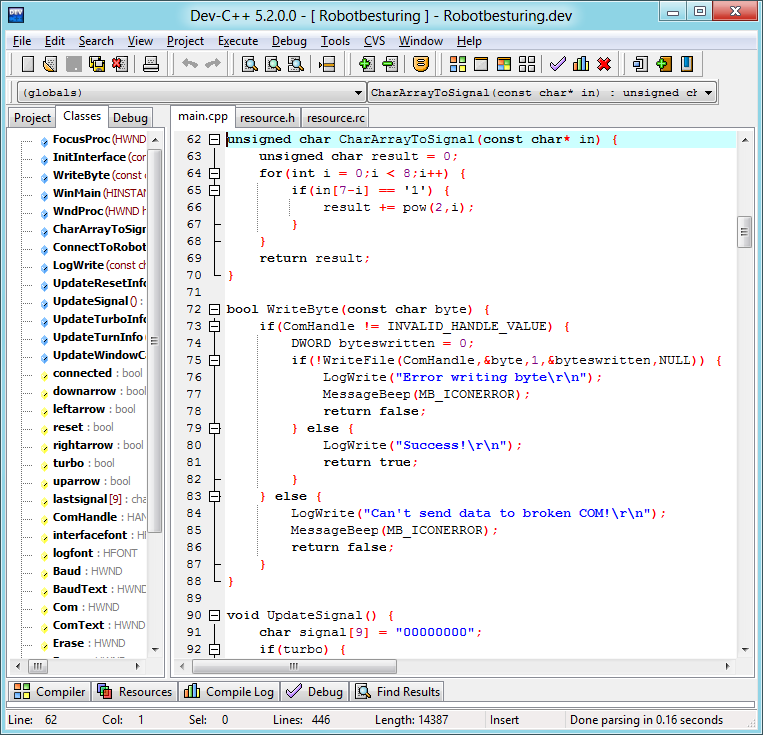
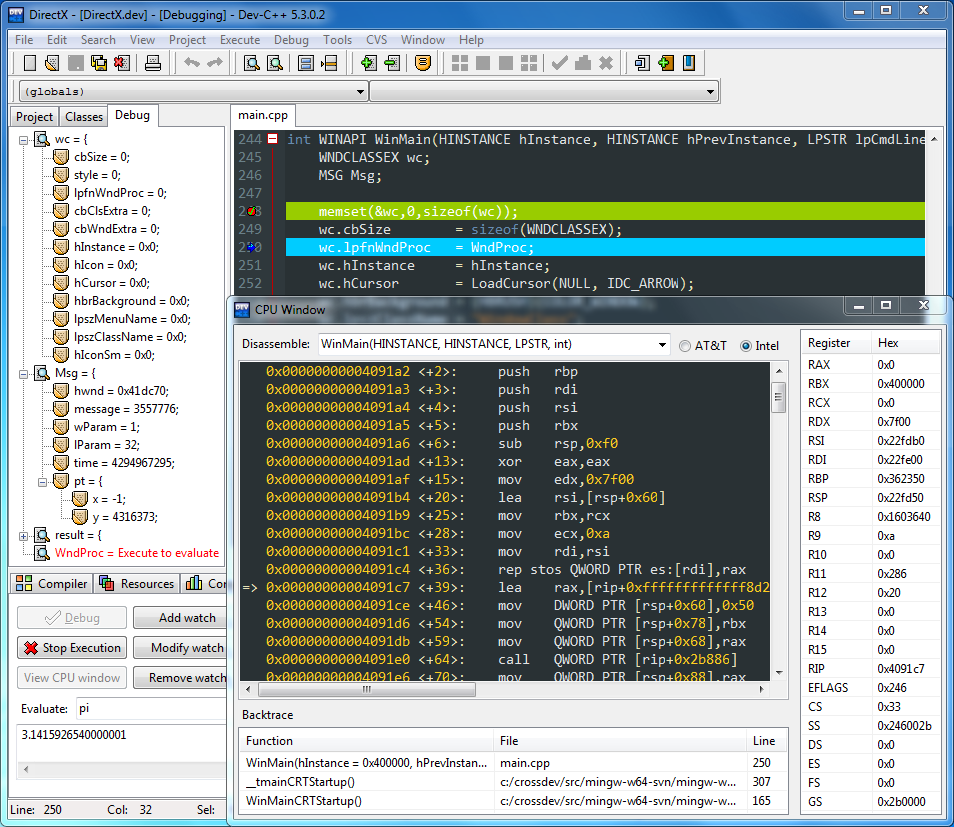
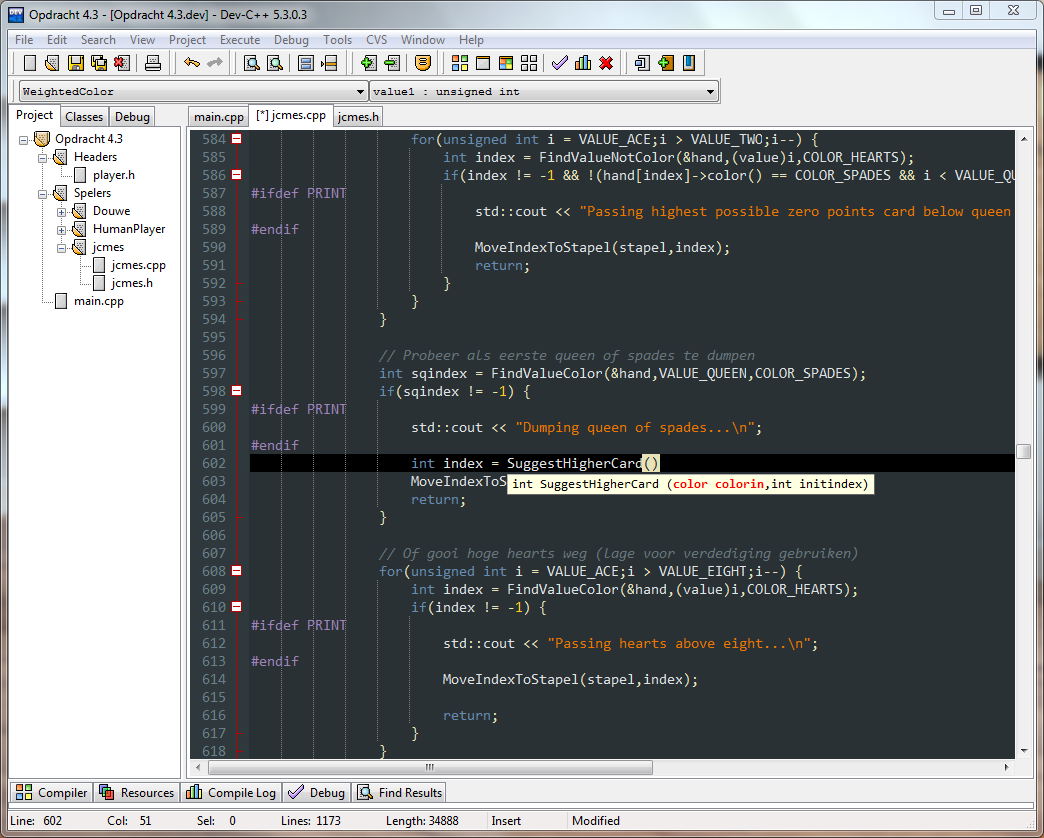
- The interface is intuitive and clean, free from complex feature clutter, allowing beginners to focus entirely on the code. It provides basic windows for the code editor, project manager, compilation log, and debugging.
Basic Features Included:
- It includes syntax highlighting, auto-indentation, code completion (weaker in older versions), basic debugging capabilities (using GDB), and project management, meeting most needs for the C language learning stage.
History, Status & Forks:
- Original Version Stagnation: The original Dev-C++ (version 4.9.9.2) saw its development halt around 2005, leading to long-standing compatibility issues (especially on Windows Vista and later) and an extremely outdated compiler version.
- Modernized Fork - Orwell Dev-C++:
- Due to the original project's stagnation, a developer named Orwell created the Orwell Dev-C++ fork, which updated the compiler version and fixed some compatibility bugs, allowing it to run on Windows 7/8/10. This was the most popular version for several years.
- Current Active Fork - Embarcadero Dev-C++:
- Current Status: Currently, Embarcadero (the company behind the commercial IDE C++Builder) has taken over and maintains an active fork. They continuously update the IDE and the bundled compiler, support Windows 10/11, and have fixed numerous bugs. The Embarcadero version is now the officially recommended one to download and use.
- Updates: This fork features updated syntax highlighting, improved code completion, and is based on more modern MinGW-w64 GCC or Clang compilers.
Pros & Cons:
Pros:
- Extremely Easy to Start: Simple installation and configuration, ideal for absolute beginners taking their first steps in programming.
- Completely Free: It is open-source software.
- Lightweight and Portable: Very low resource usage.
Cons:
- Relatively Basic Features: Even in the new version, its code completion, refactoring, and debugging features are far less powerful than those in Visual Studio, CLion, or even Code::Blocks.
- Primarily Windows-Only: Although MinGW itself is cross-platform, the Dev-C++ IDE is primarily a Windows application.
- Historical Baggage: Many people still remember it as the old, unmaintained original version.
In summary: Dev-C++ is a legendary lightweight C/C++ IDE from a past era. It played a significant role in the history of C language education both in China and globally. Although its original version is obsolete, the modern fork maintained by Embarcadero has revitalized it, making it still a very good and hassle-free choice for beginners starting with C/C++. For professional development or large projects, more powerful IDEs are recommended.
Generated by AI
Image
Get
sourceforge:https://sourceforge.net/projects/orwelldevcpp/files/
fosshub:https://www.fosshub.com/DevC-PP.html
Direct Download: 7f49631d-85f6-4b53-b7a0-4e7cd7455ace
Having trouble downloading?
If you encounter any issues during the download process, refer to the following solutions:
Link invalid or incorrect How to download the ed2k link How to download the magnet link How to download the .torrent file Other problems