Xposed Additions
Introduction
AI Introduction
Module Name:
Xposed Additions (Pro)
Core Function:
Xposed Additions is an Xposed module focused on customizing hardware button and gesture actions. It allows you to assign new, rich commands to your phone's physical buttons (e.g., power, volume, home) and button combinations, greatly expanding the functionality of your device's hardware keys.
Detailed Explanation:
Problem It Solves:
- The functions of a phone's physical buttons are fixed and limited by default (e.g., power button only locks/powers off, volume keys only adjust volume).
- Users desire quicker access to certain functions without touching the screen or opening apps, like turning on the flashlight, skipping tracks, or launching a specific app.
How It Works:
- The module intercepts hardware button events at a low system level.
- Based on user-defined conditions (like single press, double press, long press, button combinations) and device state (screen on/off, locked/unlocked, a specific app in foreground), it blocks the original button function and executes the user-specified action instead.
Key Features:
- Button Action Customization: Assign different actions to each physical button (Power, Volume Up/Down, Home, Capacitive keys). Supports:
- Single Press
- Double Press
- Long Press
- Press and Hold
- Conditions (Profiles): This is a core feature. You can set different rules for the same button action depending on the device state:
- Screen Off / Device Locked: e.g., Long-press Volume Down to skip to the next track while the screen is off.
- Screen On / Device Unlocked: e.g., Double-press Home to launch the camera.
- App Specific: Trigger specific button actions only when a particular application is running. e.g., Define long-press volume keys for track skipping within a music player app.
- Wide Range of Actions:
- System Actions: Wake device, lock screen, take screenshot, back, home, recent apps, toggle silent mode.
- Media Control: Play/Pause, Previous track, Next track, Stop (perfect for controlling music from the lock screen).
- Launch App/Shortcut: Start any application or activity.
- Others: Toggle flashlight, move cursor, show power menu.
- Button Action Customization: Assign different actions to each physical button (Power, Volume Up/Down, Home, Capacitive keys). Supports:
How to Use:
- Prerequisites: Requires a rooted device with an Xposed framework (like LSPosed, EdXposed) installed.
- Installation & Configuration:
- Install and activate the module (often has a free version and a feature-rich paid Pro version).
- In your Xposed installer (e.g., LSPosed), enable the module and advise applying it to "Android System" or "System Framework".
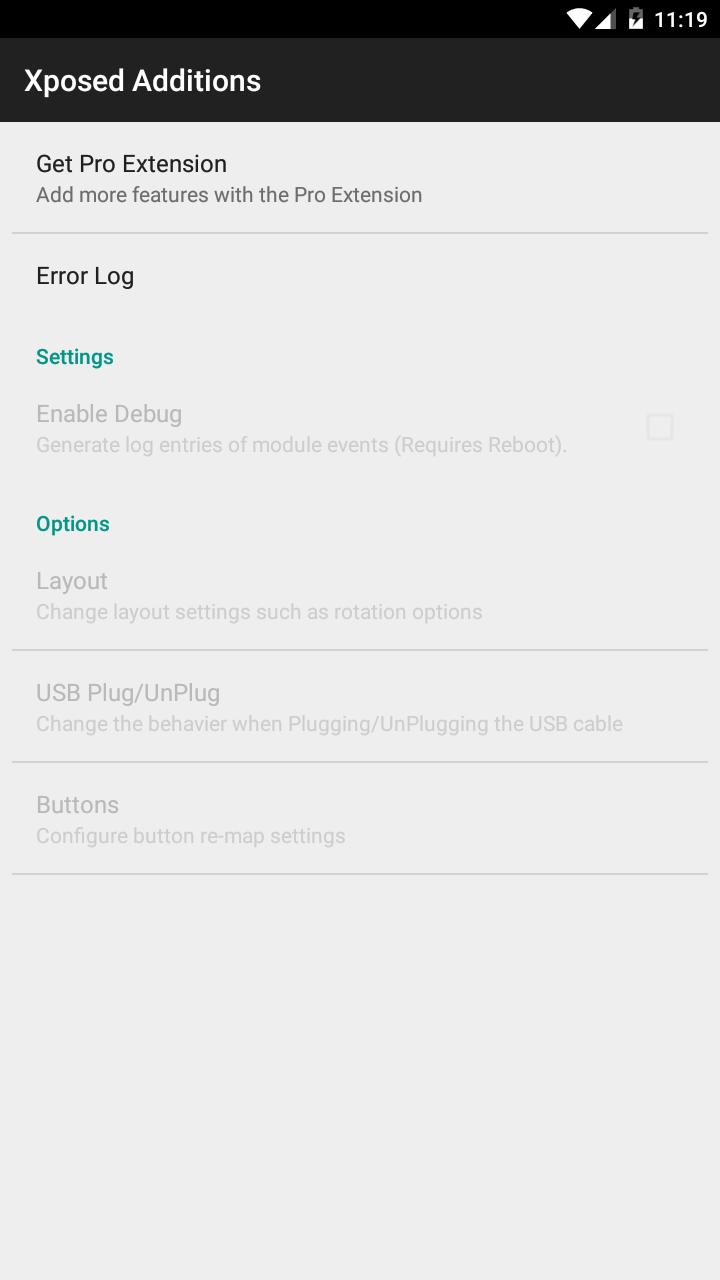
- Open the Xposed Additions app. You'll see a settings interface categorized by buttons.
- Select the button you want to modify (e.g., "Volume Down"), then add new click types (e.g., "Double Press") and assign actions (e.g., "Next Track") for both "Normal Mode" (screen on) and "Screen Off Mode".
- Changes usually take effect without a reboot.
Advantages:
- Extremely Practical: Significantly improves operational efficiency, especially for controlling the phone without looking at the screen (e.g., when locked, in pocket, or driving).
- Hardware Enhancement: Extends the usefulness and value of hardware buttons through software.
- Context-Aware: Condition-based rules are its standout feature, making it very intelligent.
- Stability: Generally more stable than methods that modify system files directly.
Important Notes:
- Requires Xposed Framework: This is its foundation.
- Negligible Battery Impact: It listens for hardware events rather than running constantly, so its impact on battery life is minimal.
- Compatibility: The module is updated relatively frequently and maintains good compatibility with modern Android versions (including Android 12/13), but always check the module's release page for specific details.
Conclusion: Xposed Additions is a module that focuses on doing one thing and doing it exceptionally well. Through powerful conditions and a wealth of definable actions, it transforms the simple physical buttons on your phone into an efficient and intelligent quick-action center. It is an essential tool for users who prioritize efficiency and convenience.
Detail
App Name: Xposed Additions
Package: com.spazedog.xposed.additionsgb
Version: 3.6.2 (74)
Minimal Android: 2.3 (Gingerbread)
Target Android: 5.1 (Lollipop MR1)
Maximal Android:
Support: Android
Image
Get
APKPure:open
Direct Download: 4eabf2cf-3dcf-4227-a1ae-abca63ea3a60
Having trouble downloading?
If you encounter any issues during the download process, refer to the following solutions:
Link invalid or incorrect How to download the ed2k link How to download the magnet link How to download the .torrent file Other problems