XInstaller
Introduction
AI Introduction
Module Name:
XInstaller
Core Function:
XInstaller is an Xposed module specifically designed to modify and extend the Android application installation and uninstallation process. It provides a vast array of advanced options, allowing users to bypass default system installation restrictions and deeply customize the behavior of the package installer.
Detailed Explanation:
Problem It Solves:
- Installation Restrictions: Android by default blocks downgrading an app, installing APKs with incompatible CPU architectures, and updating apps with mismatched signatures.
- Lacking Features: The stock installer lacks many features power users desire, like auto-backup before updates or skipping tedious button clicks.
- Privacy Flow: The installer always shows all permissions an app requests, with no option to skip viewing them.
How It Works:
- XInstaller works by hooking into the Android Package Manager Service and the Package Installer UI. It modifies the default behavior at various stages of the installation/uninstallation process, bypassing the system's checks and limitations.
Key Features:
- Bypass Restrictions:
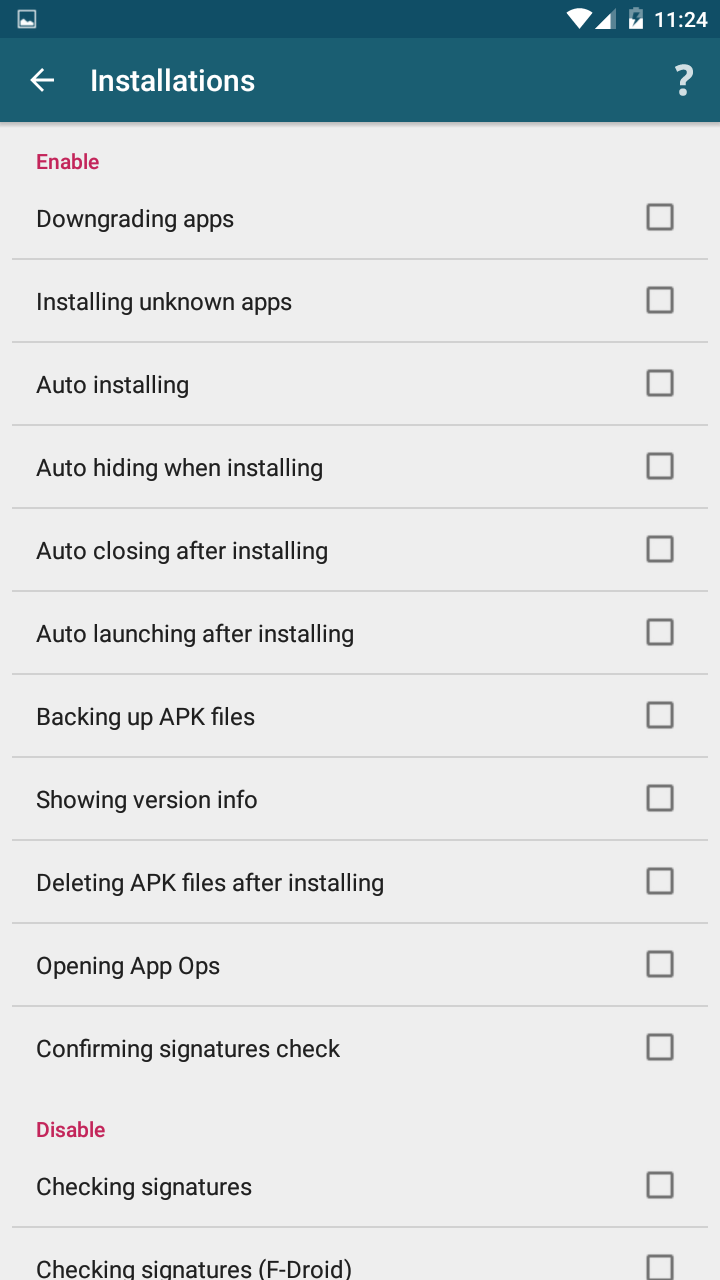
- Downgrade Installation: Allows installing an older version of an app over a newer one without uninstalling first.
- Install with different signatures: Allows installing an APK that has a different signature than the existing app (will overwrite it, but may cause data incompatibility).
- Install incompatible APKs: Forces installation of apps not designed for your device's CPU architecture (e.g., arm64 on x86). (Often makes the app crash, used for special testing).
- Enable legacy API: Allows using the pre-Android 5.0 installation method.
- Customize Installation Process:
- Auto confirm installation: Skips the need to press the "Install" button, enabling silent automatic installations.
- Disable permission review: Skips the screen that displays all app permissions during installation/update.
- Disable installer source check: Allows any installer source to handle the installation.
- Customize Uninstallation Process:
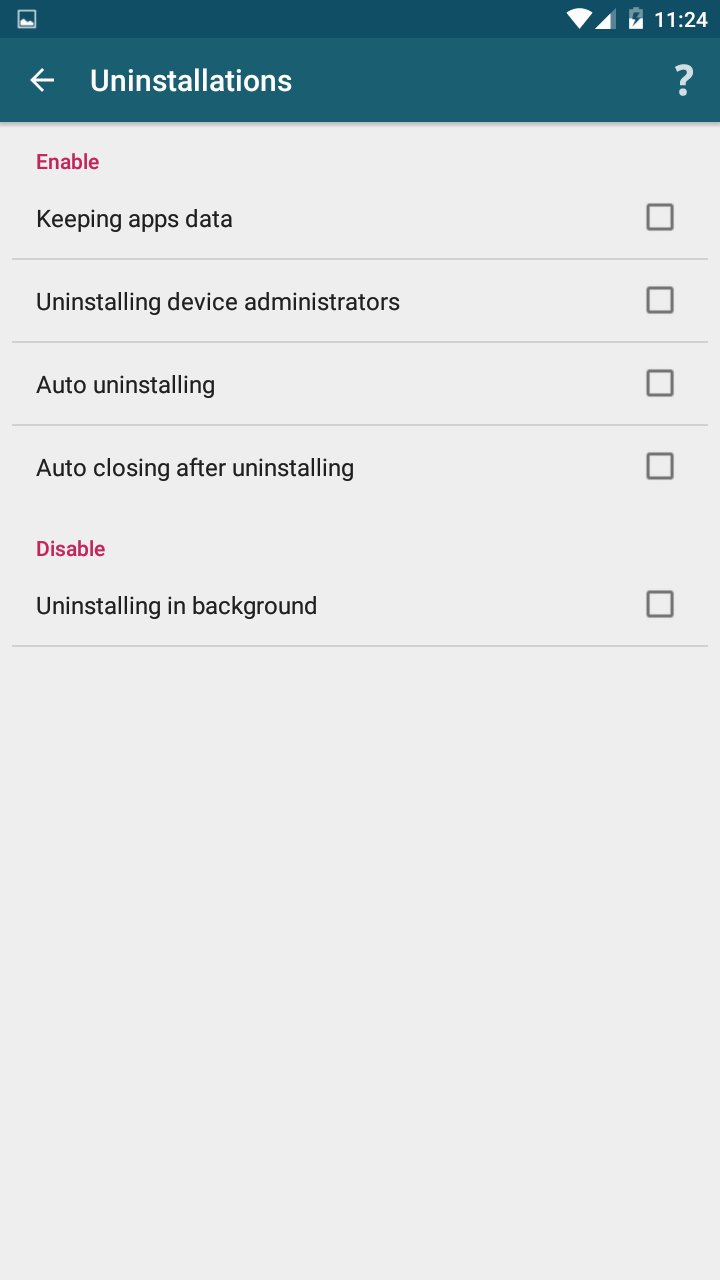
- Auto confirm uninstall: Skips the uninstallation confirmation dialog.
- Clean up after uninstall: Automatically deletes the leftover data folders of an app after it's uninstalled (typically in
/sdcard/Android/data/and/sdcard/Android/obb/). Use this with extreme caution!
- Backup & Restore:
- Backup before install: Automatically backs up the currently installed APK to a specified directory before updating it.
- Bypass Restrictions:
How to Use:
- Prerequisites: Requires a rooted device with an Xposed framework (like LSPosed, EdXposed) installed.
- Installation & Configuration:
- Install and activate the XInstaller module.
- In your Xposed manager (e.g., LSPosed), enable the module and set its scope to hook into the "Package Installer" and "Android System".
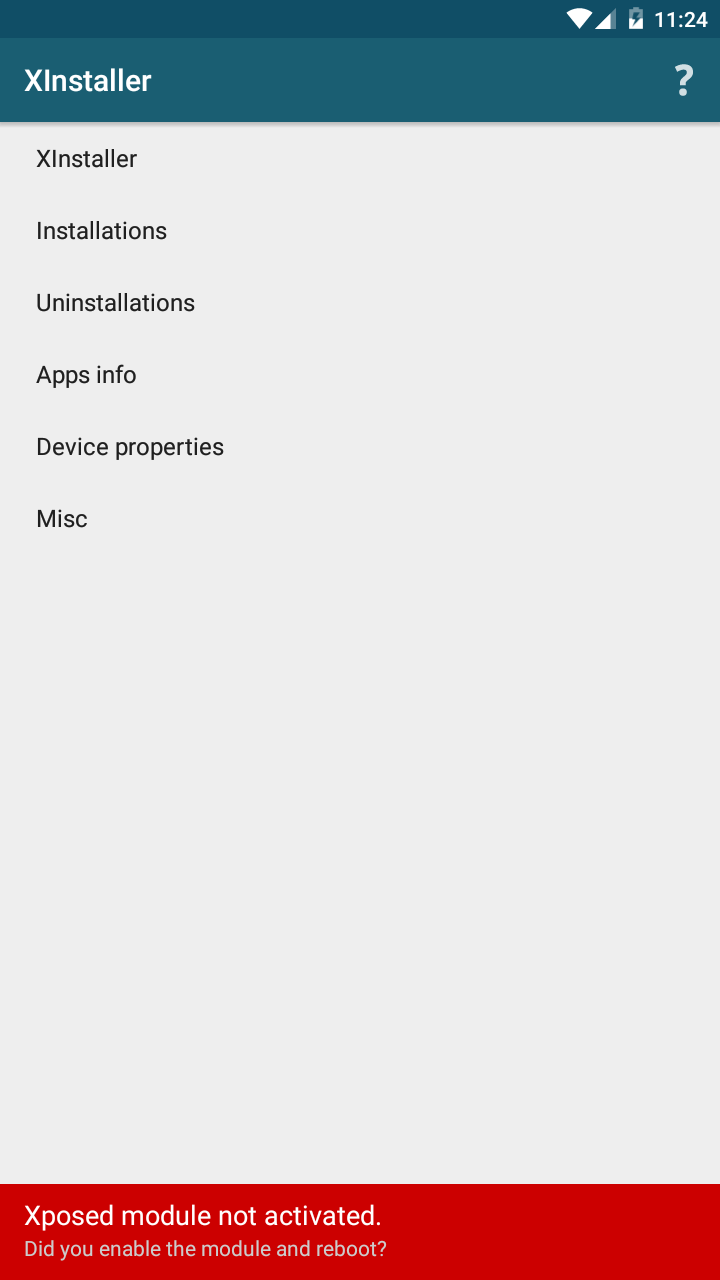
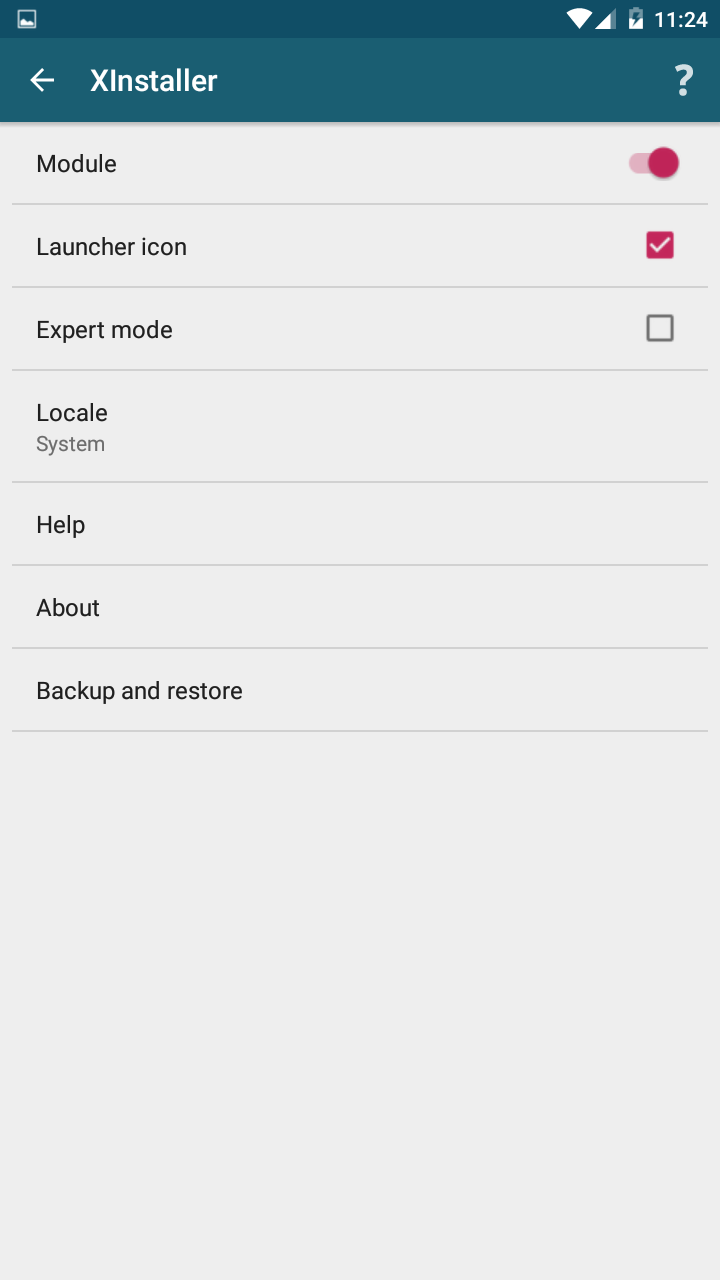
- Open the XInstaller app to find a well-organized settings menu. Carefully enable the features you need.
- Reboot your device after configuration for the changes to take effect. Afterwards, any app you install will follow your set rules.
Advantages:
- Powerful & Flexible: Provides ultimate control over the app installation process.
- Convenient & Fast: Features like auto-confirm and skipping permission screens greatly simplify bulk installs/updates.
- Solves Pain Points: Perfectly addresses common issues like downgrading and signature mismatches.
Warnings & Important Notes:
- High-Risk Operations: Bypassing system security restrictions (especially signature verification and downgrading) can lead to app data corruption, system instability, or security risks. Use only if you understand the consequences.
- Use "Clean up" cautiously: The auto-delete data feature is useful but can also accidentally delete data you wish to keep (e.g., game saves).
- Compatibility: The module has a long history, and different versions have varying compatibility with different Android versions. You need to find a version of XInstaller that matches your OS.
- Not for Piracy: Its primary purposes are to facilitate developer testing, app version management, and system debugging.
Conclusion: XInstaller is a powerful tool for advanced users, developers, and modding enthusiasts. It transforms app installation from a simple system function into a highly customizable process. However, with great power comes great responsibility, and it must be used with caution.
Detail
App Name: XInstaller
Package: com.pyler.xinstaller
Version: 5.0 (500)
Minimal Android: 4.0.3 (Ice Cream Sandwich MR1)
Target Android: 5.1 (Lollipop MR1)
Maximal Android:
Support: Android
Image
Get
APKPure:open
Direct Download: 27e175d7-08d7-4f9a-ac7f-e0512dce3112
Having trouble downloading?
If you encounter any issues during the download process, refer to the following solutions:
Link invalid or incorrect How to download the ed2k link How to download the magnet link How to download the .torrent file Other problems