Xblast Tools
Introduction
AI Introduction
Module Name:
Xblast Tools
Core Function:
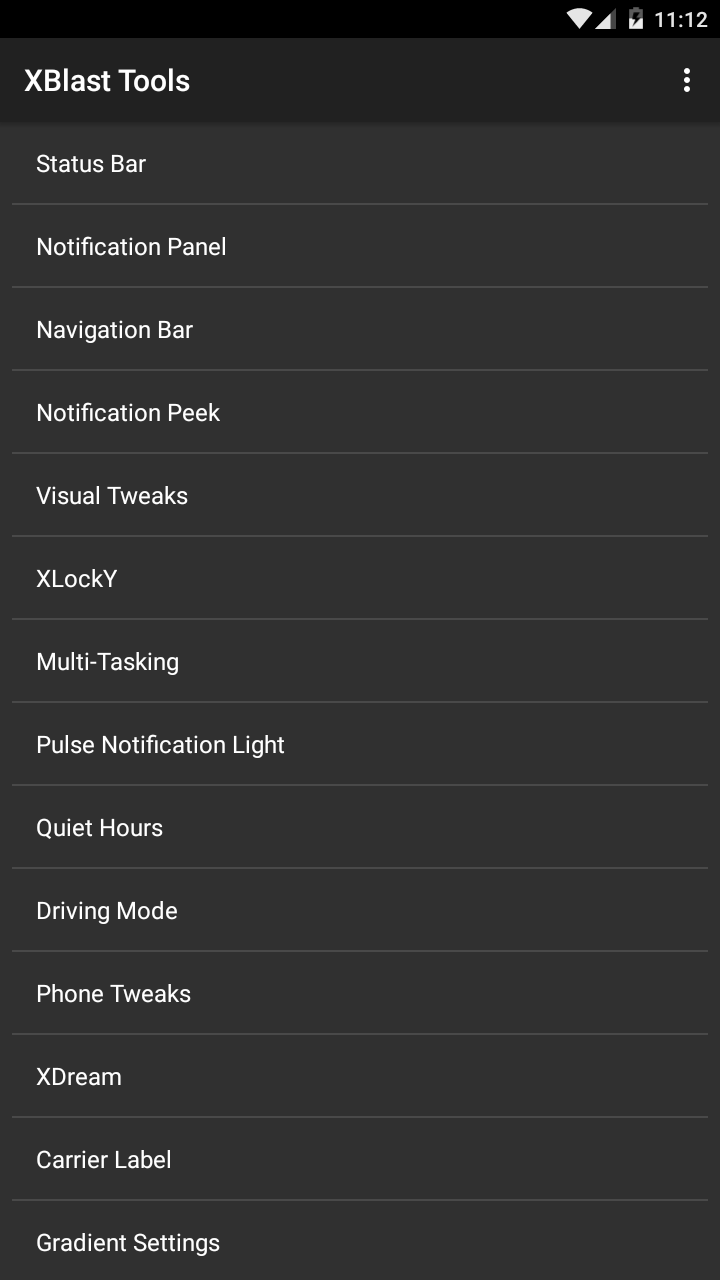
Xblast Tools is an all-in-one ultimate system UI customization tool. It packs a massive array of customization options into a single module, allowing users to deeply modify the look and feel (UI/UX) of their Android system to an unprecedented degree. It covers almost everything from the status bar and navigation bar to the notification panel and animation effects.
Detailed Explanation:
Positioning & Characteristics:
- All-in-One: Its standout feature is bundling the functionalities of countless smaller modules into one. Installing it is like installing dozens of modules focused on different aspects of customization.
- Deep Customization: The options provided are extremely detailed and granular, perfect for power users who are not satisfied with simple tweaks and want complete control over their device's appearance and behavior.
Main Customization Areas (Feature Overview):
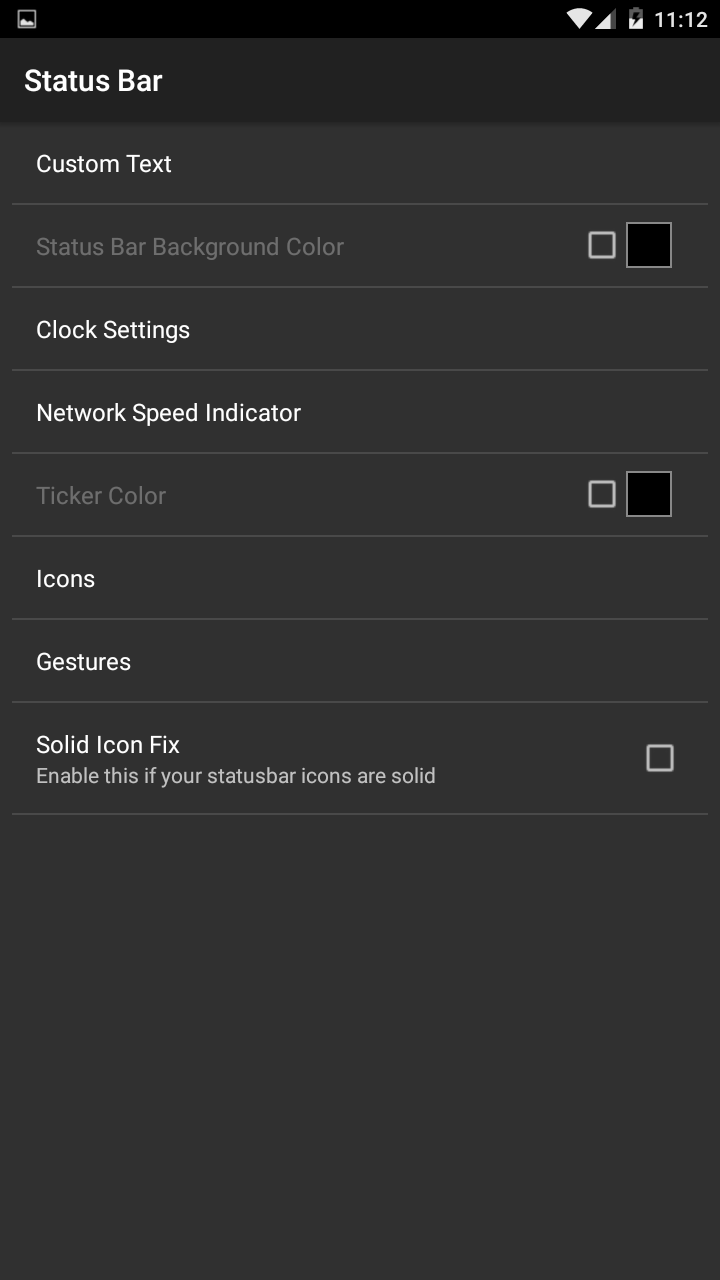
- Status Bar:
- Clock: Customize format, position, color, font, date display.
- Battery: Vast selection of battery icon styles (circle, bar, icon, percentage), colors, charging effects.
- Signal Icons: Change Wi-Fi and cellular signal styles (e.g., iOS style).
- Other Icons: Customize color of Bluetooth, alarm, GPS etc. icons.
- Status Bar Color: Adjust color, transparency, and support for immersive status bar (similar to Tinted Status Bar).
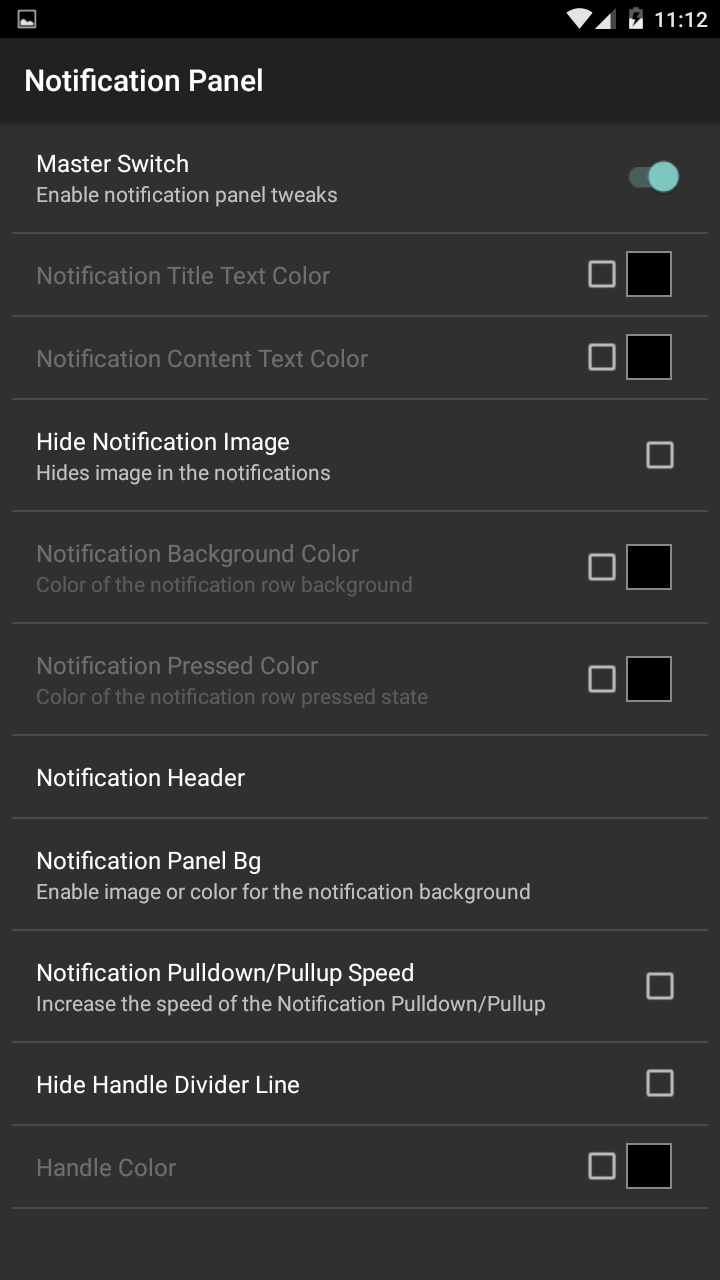
- Notification Panel:
- Quick Settings: Add, remove, reorder quick toggle tiles, customize rows/columns, background color/transparency.
- Clock & Date: Show/hide the clock and date in the notification header and customize their look.
- Status Bar Gestures: Set gestures like double-tap to sleep, swipe down to open notifications.
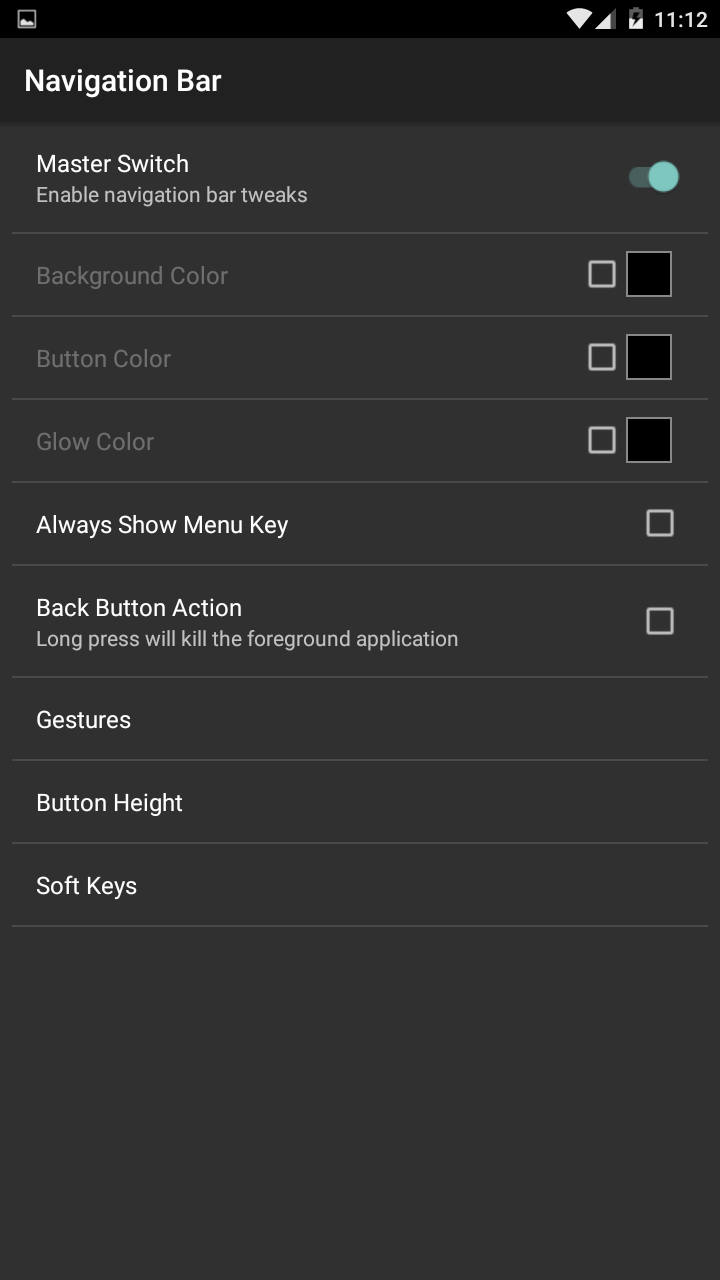
- Navigation Bar:
- Buttons: Customize button layout, add new buttons (e.g., power, menu), change button icons.
- Gestures: Assign actions to long-press or double-tap gestures on navigation bar buttons.
- Animations:
- Modify system transition animations, list scroll animations, window animations, with multiple presets available.
- Lockscreen:
- Customize carrier text, add shortcuts, change unlock slider style.
- Theming & Colors:
- Force color themes or modify colors of various system elements (e.g., dialog background, highlight color).
- Various Misc Tweaks:
- Long-press menu options, screenshot behavior, volume panel adjustments, and much more.
- Status Bar:
How to Use:
- Prerequisites: Requires a rooted device with an Xposed framework (like LSPosed, EdXposed) installed.
- Installation & Configuration:
- Install and activate the module.
- In your Xposed installer (e.g., LSPosed), enable the module and set its scope to hook into "System UI" and "Android System".
- Open the Xblast Tools app to find a well-organized but extensive settings menu. Configure options as desired. Most changes require a soft reboot or a full reboot to take effect.
Advantages:
- Comprehensive Features: One module fulfills almost all UI customization needs, reducing the need for multiple modules and potential conflicts.
- High Degree of Freedom: Offers nearly limitless customization possibilities.
- Centralized Management: All settings are managed within a single app.
Disadvantages & Important Notes:
- Development Status: Like many classic modules, Xblast Tools has been discontinued for years. It worked best on Android 4.4 KitKat to Android 5.1 Lollipop. On modern Android versions (especially 7.0 Nougat and above), it is highly likely to malfunction, cause system instability, lag, or even bootloops.
- Complex Interface: The sheer number of options can be overwhelming for beginners.
- Potential Conflicts: Due to its extensive modifications, enabling it alongside other modules that tweak the System UI can easily lead to conflicts and unexpected behavior.
Conclusion: Xblast Tools was a "god-tier" module during the heyday of Xposed, representing the pinnacle of deep Android system customization at that time. However, for modern Android systems, it is largely a module for "nostalgia" and is not recommended for use on new devices or recent OS versions. Its functionalities have been succeeded by newer, more specialized, and more compatible modules.
Detail
App Name: XBlast Tools
Package: ind.fem.black.xposed.mods
Version: 1.8.7 (39)
Minimal Android: 4.0.3 (Ice Cream Sandwich MR1)
Target Android: 4.4 (KitKat)
Maximal Android:
Support: Android
Image
Get
source:open
Direct Download: 68b47d26-4962-4319-a34c-9821460d3bca
Having trouble downloading?
If you encounter any issues during the download process, refer to the following solutions:
Link invalid or incorrect How to download the ed2k link How to download the magnet link How to download the .torrent file Other problems