Obb on SD
Introduction
AI Introduction
Module Name:
Obb on SD
Core Function:
This Xposed module allows you to forcefully relocate and run an application's OBB (Opaque Binary Blob) data packages—which are typically stored in the internal storage's Android/obb/ directory—on an external SD card.
Detailed Explanation:
The Problem:
- By default, the Android system forces applications to store their large OBB files in the internal storage (
Android/obb/). - For devices with limited internal space, a few large games can easily fill it up. While Android allows moving the "app itself" to the SD card, the OBB files remain on the internal storage, failing to free up crucial space.
- By default, the Android system forces applications to store their large OBB files in the internal storage (
The Solution:
- The Obb on SD module solves this core pain point. It performs a system-level modification (hook) that "tricks" both the app and the system into believing the OBB files are still in the expected internal storage path, while in reality, they are being read and executed from the SD card.
How It Works:
- The module redirects any access requests targeting the internal
Android/obb/directory to a specific directory on the external SD card (e.g.,/{SD Card}/Android/obb/). - This process is completely transparent to the application or game. It requires no modifications to the app itself, which will run normally without detecting any change.
- The module redirects any access requests targeting the internal
How to Use:
- Prerequisites: Your device must be Rooted and have an Xposed Framework (like LSPosed, EdXposed, etc.) installed.
- Installation Steps:
- Install and activate the
Obb on SDmodule. - In your Xposed manager (e.g., LSPosed), enable the module and select the scope (checking "System Framework" or all apps is usually recommended).
- Manually move the entire
obbfolder from/Internal Storage/Android/obb/to your external SD card's/SD Card/Android/directory (create theAndroidfolder if it doesn't exist). - Reboot your device. Afterwards, all applications will automatically read OBB files from the new location on the SD card.
- Install and activate the
Benefits:
- Massively Frees Up Internal Storage: This is the primary benefit, especially for users who enjoy large games.
- Good Compatibility: Works with most applications and games.
- No App Modifications Required: All operations are performed at the system level; apps are unaware.
Important Considerations:
- SD Card Performance: Using a slow (Class 4, Class 6) SD card may result in longer game loading times or occasional stuttering during gameplay. It is highly recommended to use a Class 10 or higher speed rated card (e.g., UHS-I, UHS-II, A1, A2) for an experience closer to internal storage.
- System Compatibility: Not 100% compatible with every Android version and every device, but it works well on most common devices, especially those from brands like Samsung and Sony that support external storage.
- Manual File Movement: The user is responsible for manually moving the OBB files; the module only handles path redirection.
Detail
App Name: Obb On SD
Package: com.smartmadsoft.xposed.obbonsd
Version: 0.4.2 (8)
Minimal Android: 4.0.3 (Ice Cream Sandwich MR1)
Target Android: 6.0 (Marshmallow)
Maximal Android:
Support: Android
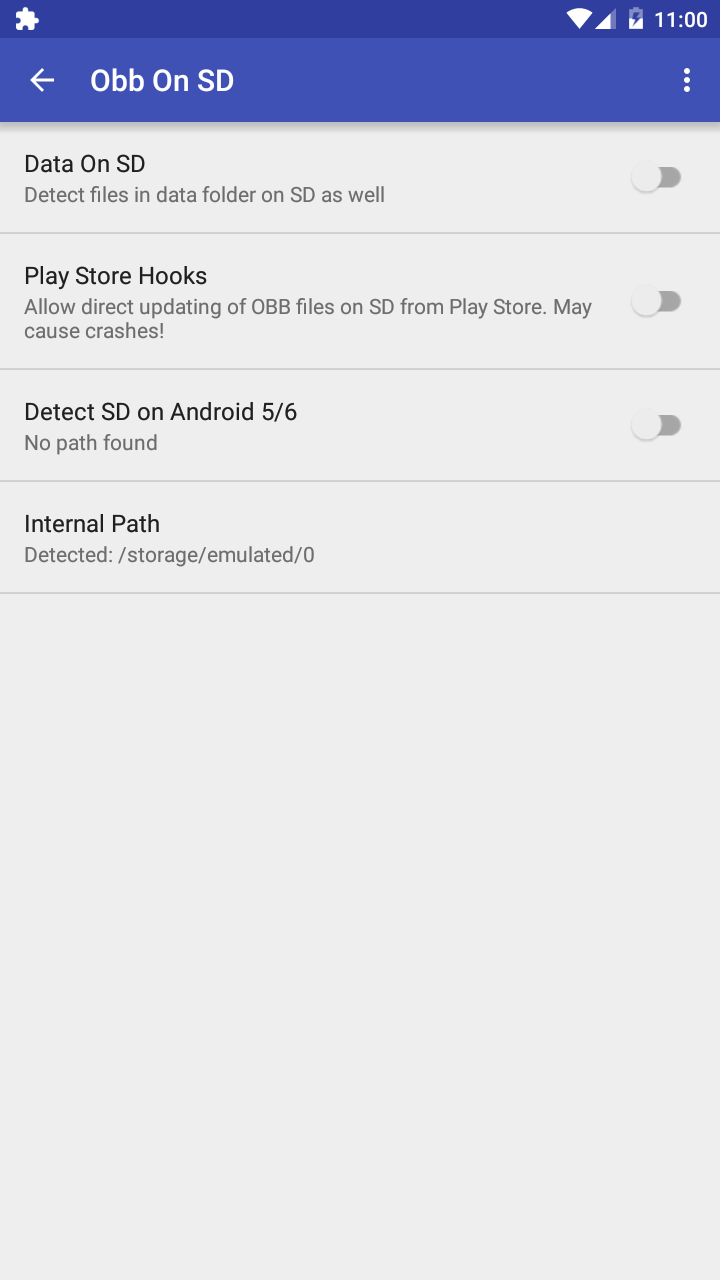
Image
Get
APKPure:open
Direct Download: 8b06c056-1b7c-43ca-9977-c3afe56136c9
Having trouble downloading?
If you encounter any issues during the download process, refer to the following solutions:
Link invalid or incorrect How to download the ed2k link How to download the magnet link How to download the .torrent file Other problems