Flat Style Bar Indicators
Introduction
AI Introduction
Flat Style Bar Indicators (FSBI)
Module Overview: Flat Style Bar Indicators is an extremely popular and powerful Xposed module that allows users to highly customize the icons displayed in the status bar of their Android devices. As the name suggests, it can transform the original icons into a flatter, cleaner, and more modern style. However, it offers far more than just a style change, providing an immense range of personalization options.
Key Features:
Status Bar Icon Customization:
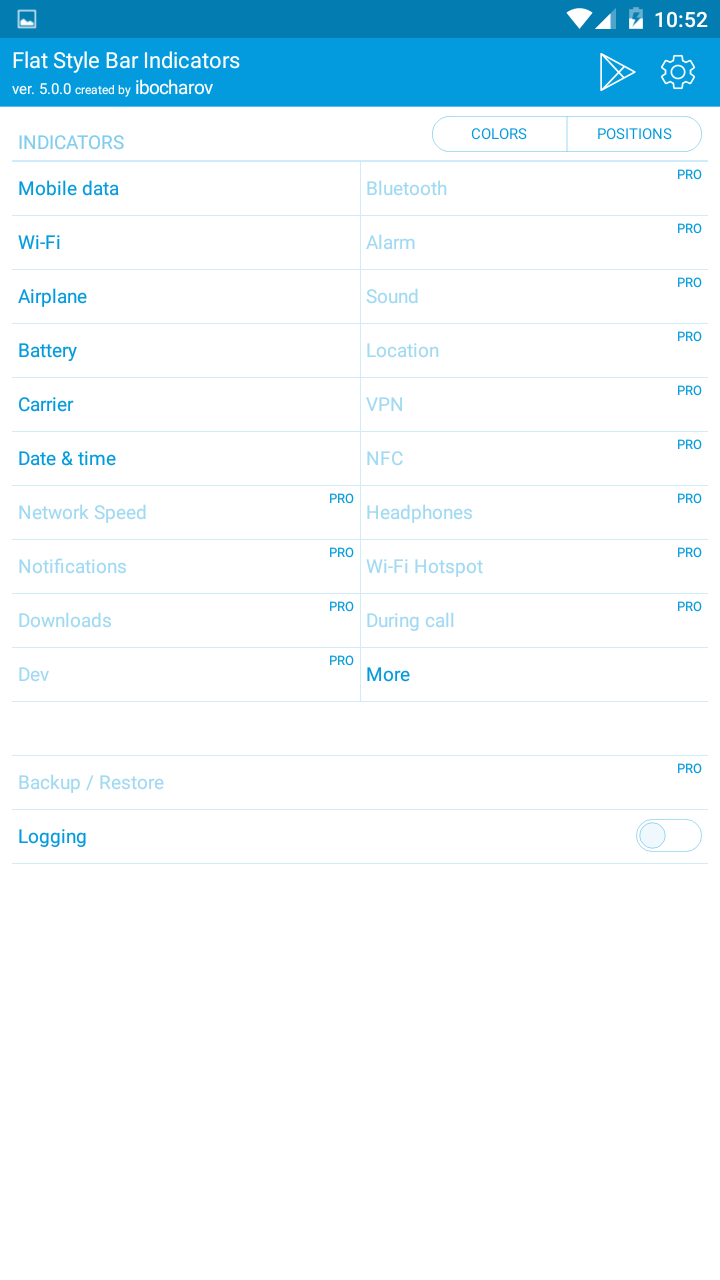
- Mobile Network/Wi-Fi Icons: Change the style of the signal strength indicators (e.g., to iOS-like dots), color, position, or even hide the "x" no-internet icon.
- Battery Icon: Offers a vast selection of battery icon styles, including circles, vertical/horizontal bars, percentage text, lightning bolts, etc. Customize color, charging animation, percentage text style, and more.
- Clock: Customize the clock's position (left, center, right), format (12/24 hour, add date, custom text), font, color, etc.
- Other Icons: Similarly customize the color and style of Bluetooth, alarm, mute, VPN, location, and other system icons.
Color Control:
- Set individual colors for each icon or apply a global color scheme.
- Supports automatic color adjustment based on the status bar color of the current app (immersive mode compatibility) to ensure icons remain visible.
Layout & Spacing Adjustment:
- Adjust the spacing between icons to make the status bar layout more compact or spacious.
- Reorder the sequence in which icons are displayed.
Hide Elements:
- Hide any status bar icon you don't want to see, such as the battery, clock, or specific notification icons, achieving a minimalistic status bar.
Compatibility:
- Supports Android 5.0 through Android 10 (depending on the module version).
- Works well on most custom skins (like Samsung One UI, Xiaomi MIUI), though some heavily modified ROMs might have compatibility issues.
How to Use:
- Requires a rooted device with an installed Xposed framework like EdXposed or LSPosed.
- Download and install the Flat Style Bar Indicators module.
- Activate the module within your Xposed framework (e.g., LSPosed) and hook it into the "System UI" process.
- Open the FSBI app and begin configuring every detail to your liking. Almost all changes are applied in real-time.
Conclusion: Flat Style Bar Indicators is one of the ultimate tools for users who seek status bar beautification and personalization. It provides unparalleled granular control, allowing you to transform the generic status bar into a unique layout that perfectly matches your aesthetics and usage preferences.
Detail
App Name: Flat Style Bar Indicators
Package: com.bocharov.xposed.fsbi
Version: 5.0.0 (500)
Minimal Android: 4.3 (Jelly Bean MR2)
Target Android: 6.0 (Marshmallow)
Maximal Android: 8.1 (Oreo MR1)
Support: Android
Image
Get
APKPure:open
Direct Download: 907bf0d2-c4eb-467b-8e35-a76c72e0f755
Having trouble downloading?
If you encounter any issues during the download process, refer to the following solutions:
Link invalid or incorrect How to download the ed2k link How to download the magnet link How to download the .torrent file Other problems