Blurred System UI
Introduction
AI Introduce
Blurred System UI is a sophisticated Xposed module that enhances the visual aesthetics of your Android device by applying real-time, genuine Gaussian blur effects to the system interface. It moves beyond simple transparency to provide the frosted glass effect popularized by modern operating systems like iOS, macOS, and Windows 11.
Key Features:
- Authentic Gaussian Blur: Implements a real-time blur algorithm that processes the content behind the UI elements, creating a sophisticated and modern translucent effect. This is superior to simple color dimming or transparency.
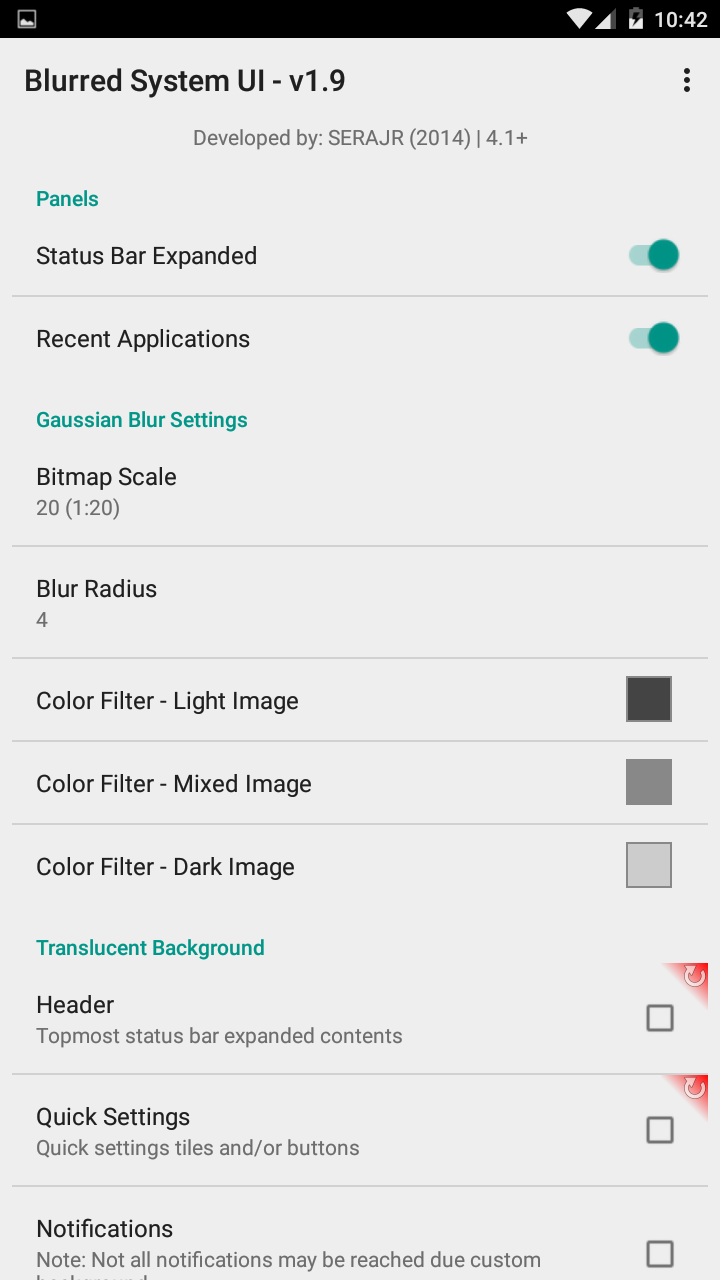
- Extensive Customization: Offers granular control over which parts of the system UI are blurred and to what extent. Key areas include:
- Quick Settings Panel: Blur the background of the notification shade and quick settings tiles.
- Notification Panel: Blur the background of individual notifications.
- Recent Apps Overview: Apply blur to the background of the app switcher menu.
- Volume Panel & Power Menu: Blur the background of these pop-up dialogs.
- Lock Screen: Add blur to the lock screen's background or specific elements.
- Fine-Tuned Control: Adjust the blur radius (intensity of the blur), blur darkness (how much the blurred area is dimmed), and transparency alpha to achieve the exact visual style you prefer.
- Performance Optimization: Includes options to reduce the blur quality or disable the effect in specific scenarios (e.g., when a battery saver is on) to help balance visual appeal with battery life and performance on less powerful devices.
- Compatibility: Designed to work with various versions of Android and custom ROMs, though compatibility may vary, especially with major Android version updates.
How it works: Like other Xposed modules, Blurred System UI hooks into the system processes responsible for drawing the user interface (e.g., SystemUI). It intercepts the drawing commands and applies the blur effect to the designated layers before they are rendered on the screen.
Requirements:
- A rooted Android device.
- The Xposed Framework or LSPosed/Zygisk installed.
Conclusion: Blurred System UI is a must-have module for users who prioritize design and customization. It transforms the look and feel of Android's system interfaces, giving them a modern, premium, and cohesive aesthetic that is not typically available through standard themes or launchers.
Detail
App Name: Blurred System UI
Package: com.serajr.blurred.system.ui
Version: 1.9 (190)
Minimal Android: 4.0.3 (Ice Cream Sandwich MR1)
Target Android: 4.4 (KitKat)
Maximal Android:
Support: Android
Image
Get
Having trouble downloading?
If you encounter any issues during the download process, refer to the following solutions:
Link invalid or incorrect How to download the ed2k link How to download the magnet link How to download the .torrent file Other problems