Magisk flashable zip
Introduction
AI Introduction
What is a Magisk Flashable Zip?
A Magisk Flashable Zip is a ZIP format file specifically designed to be installed via a device's Custom Recovery (such as TWRP or OrangeFox) to flash the Magisk framework. It is typically named Magisk-vX.X.X.zip.
What is its primary purpose?
- Initial Magisk Installation: This is the most common method. When you have a device with an unlocked Bootloader and a custom recovery installed, you flash this ZIP to gain root access and install the Magisk framework.
- Magisk Updating/Repairing: When a new version of Magisk is released, you can flash the new ZIP directly in Recovery to update the old version without a computer. Re-flashing the ZIP can also serve as a repair method if Magisk malfunctions.
- Emergency Recovery: If your device fails to boot (bootloop) due to a module or operation, you can still enter Recovery and flash the Magisk ZIP. It includes options to "Keep Force Encryption" and "Keep AVB 2.0/dm-verity," which can sometimes be used for repair.
How does the Flashable Zip work?
- Patches the Boot Image: The core function of the ZIP is to locate the device's current
bootpartition image (or theinit_bootpartition on Android 13+ devices) within the Recovery environment. - Automatically Patches: It extracts this
bootimage, applies the Magisk patch to modify it into a "rooted"bootimage. - Flashes the Image: It then flashes this newly patched
bootimage back to the device'sbootpartition. - Creates the Foundation: It also sets up Magisk's Systemless mounting system in the
/datapartition, preparing the ground for future module installations.
The process is highly automated. Users typically only need to click "Install" in TWRP and select the ZIP file.
How to Install/Update Magisk using the Flashable Zip?
- Prerequisites:
- Unlocked Bootloader.
- Installed Custom Recovery (e.g., TWRP).
- The downloaded
Magisk-vX.X.X.zipfile placed in the phone's internal storage or SD card.
- Steps:
- Power off the device completely, then boot into Recovery mode (usually by holding Volume Up + Power buttons).
- In the TWRP main menu, tap 【Install】.
- Locate and select the
Magisk-vX.X.X.zipfile you transferred. - Swipe the bottom slider to confirm flashing.
- After flashing is complete, tap 【Reboot System】.
- The first boot might take longer. Once in the system, you should see the Magisk App installed (you need to manually install the APK if it wasn't there before) showing "Activated".
Important Notes & Advanced Tips:
- Matching Versions: It's recommended to use a Magisk flashable ZIP version that matches the version of the Magisk App (Manager) installed on your phone to avoid compatibility issues.
- After OTA Updates: If you accept an OTA system update, the original
bootpartition is overwritten, causing Magisk to be lost. You don't need the full firmware:- Do not reboot after installing the OTA.
- Open the Magisk App, tap "Install" -> "Install to Inactive Slot (After OTA)".
- This patches the
bootimage for the new system slot. Reboot to keep Root.
- Official Download: Always download the flashable ZIP from the official Magisk GitHub releases page for security.
- Alternative - Patching Method: Another installation method is to extract the
boot.imgfrom the official firmware, patch it using the Magisk App, and then flash the patched image in Fastboot mode. The flashable ZIP method is generally simpler and more intuitive.
Conclusion: The Magisk Flashable Zip is the most traditional and widely used method for installing Magisk within the modding community. It leverages the power of custom recovery to achieve a "one-click" automated installation and update process. It is a fundamental skill that every Android enthusiast must master.
Detail
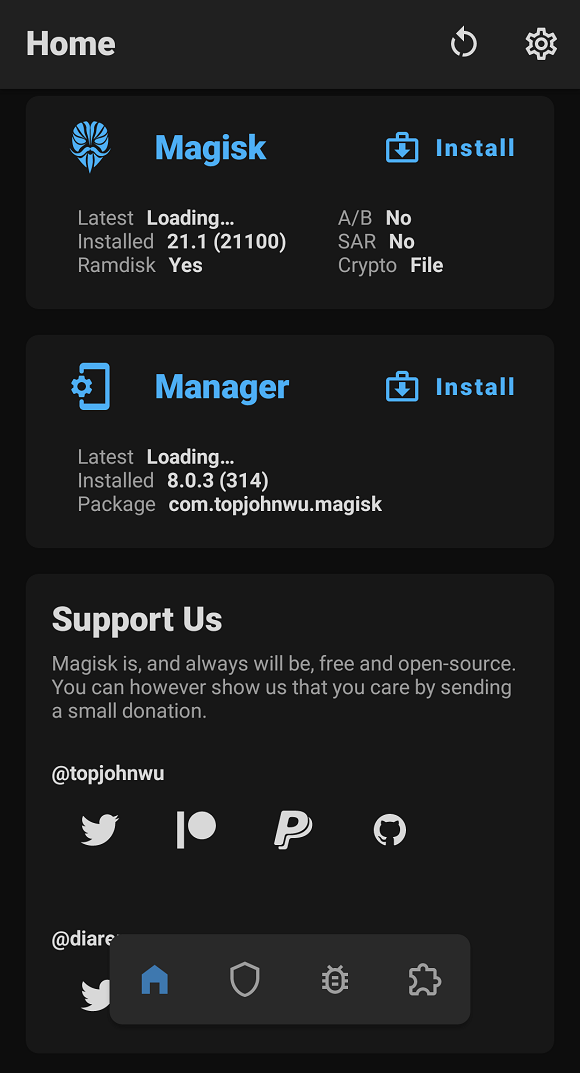
App Name: Magisk Manager
Package: com.topjohnwu.magisk
Version: 7.2.0 (213)
Minimal Android: 4.2 (Jelly Bean MR1)
Target Android: 9.0 (Pie)
Image
Get
github:https://github.com/topjohnwu/Magisk/
Direct Download: 27c826de-0996-4793-a63f-ba463a44c2dc
Having trouble downloading?
If you encounter any issues during the download process, refer to the following solutions:
Link invalid or incorrect How to download the ed2k link How to download the magnet link How to download the .torrent file Other problems